On your Mac.
In your control.
Models are downloaded when you first use the app. After that, transcription runs locally, without sending your audio to a transcription service.
Explore local processingAI organizes phrases and chooses highlights and animations. Make them yours, then bring them into Final Cut as editable titles.

MasterCaption considers pauses, punctuation and words that belong together to suggest more natural breaks. Review and adjust them whenever you like.
Discover
Choose a starting point and add your touch. Font, color, size and position: you decide how your message looks. You can even save it as a preset.
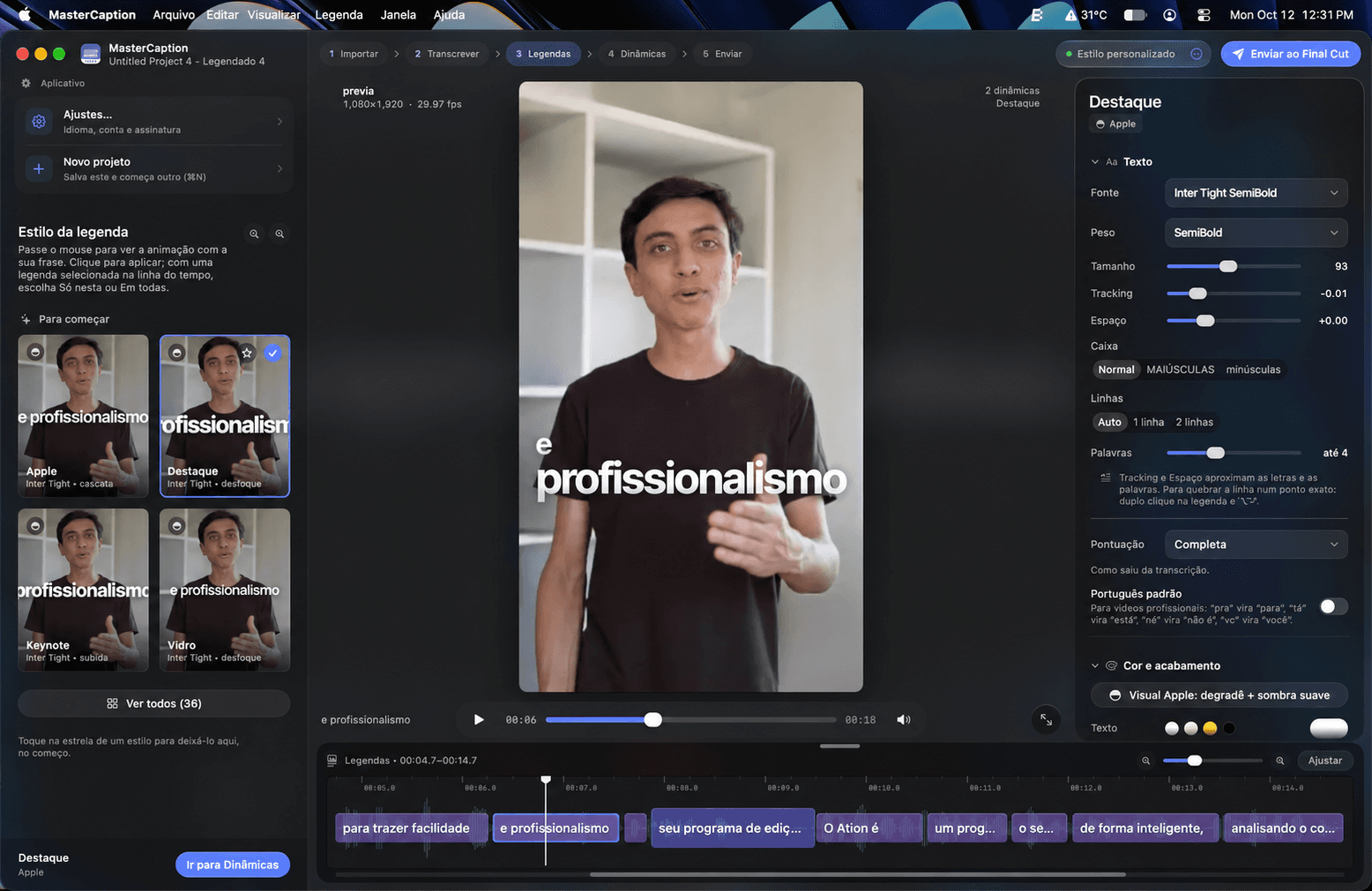
A preview of the app’s styles. In MasterCaption, you customize captions directly over your video.
A real video. Word by word, in time with the voice.
Models are downloaded when you first use the app. After that, transcription runs locally, without sending your audio to a transcription service.
Explore local processingThe audio language is detected automatically. Captions are created in Brazilian Portuguese, with local translation when needed and text ready for you to review.
How languages workStart with MasterCaption. A subscription is coming with our next apps.
One payment to use MasterCaption on your Mac.
A new way to access our apps when the family is complete.
The subscription plan will be introduced with the launch of MasterCut and MasterSync.
Details and pricing will be announced at launch.
Full refund within 14 days of purchase. Read the refund policy
See what belongs in
your next creative workflow.
MasterCaption combines transcription, word-by-word animated captions and impact combos in a workflow built for Final Cut Pro editors. The result arrives in your timeline as native titles you can keep editing.
Turn hours of work into minutes with a faster, simpler and smarter editing workflow. Create more without compromising quality.
Get MasterCaptionMade for Mac. Built for editors.