

For Final Cut Pro editors

Automatic animated captions for Final Cut Pro.

Create dynamic captions with amazing styles in one click. Save time and make your videos stand out.

No card needed. Your 7 days start when you sign in to the app.

Editable titles in FCPOn-device processingMade for Mac
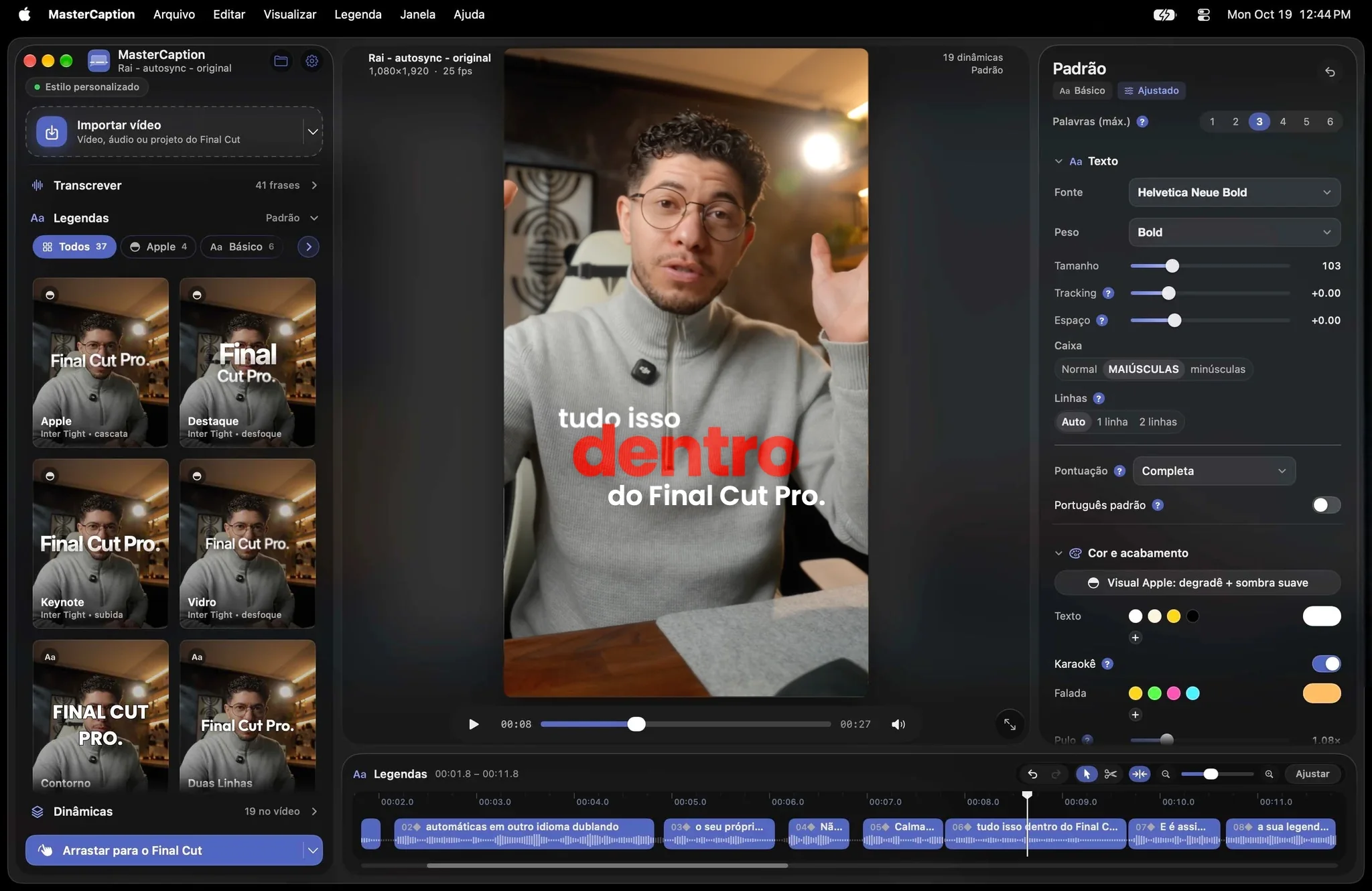
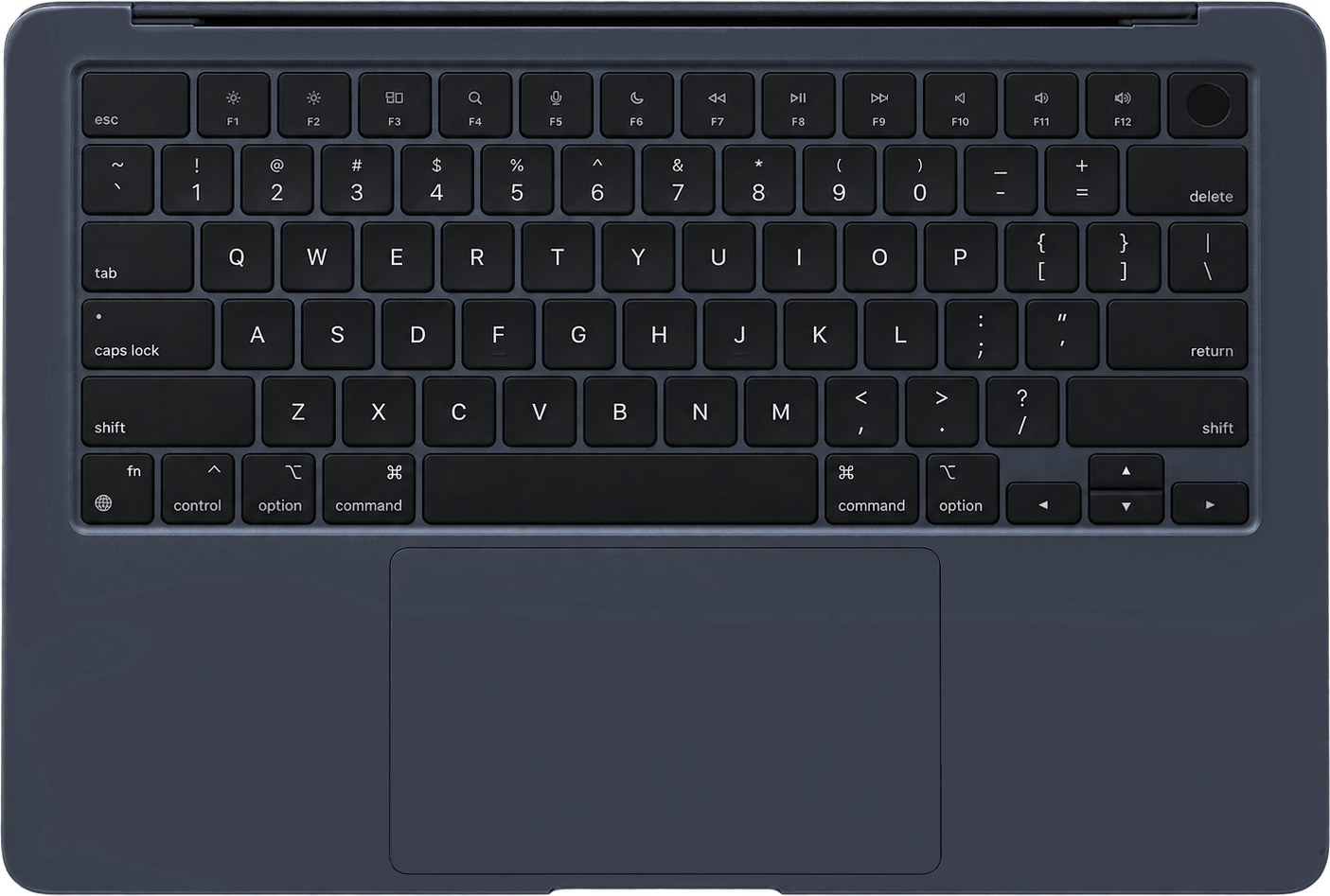
MasterCaption on a 13-inch Midnight M5 MacBook Air: caption styles on the left, video preview in the center, text settings on the right and timeline below.
In sync with your voiceEditable in your timelineLocal on your MacWith your own style
Viral dynamic styles

See the results
For yourself

From the first click to your own style

One click to apply.Freedom to create.

MasterCaption handles the repetitive work. Choose your look, check the preview and send your captions to Final Cut as editable titles.

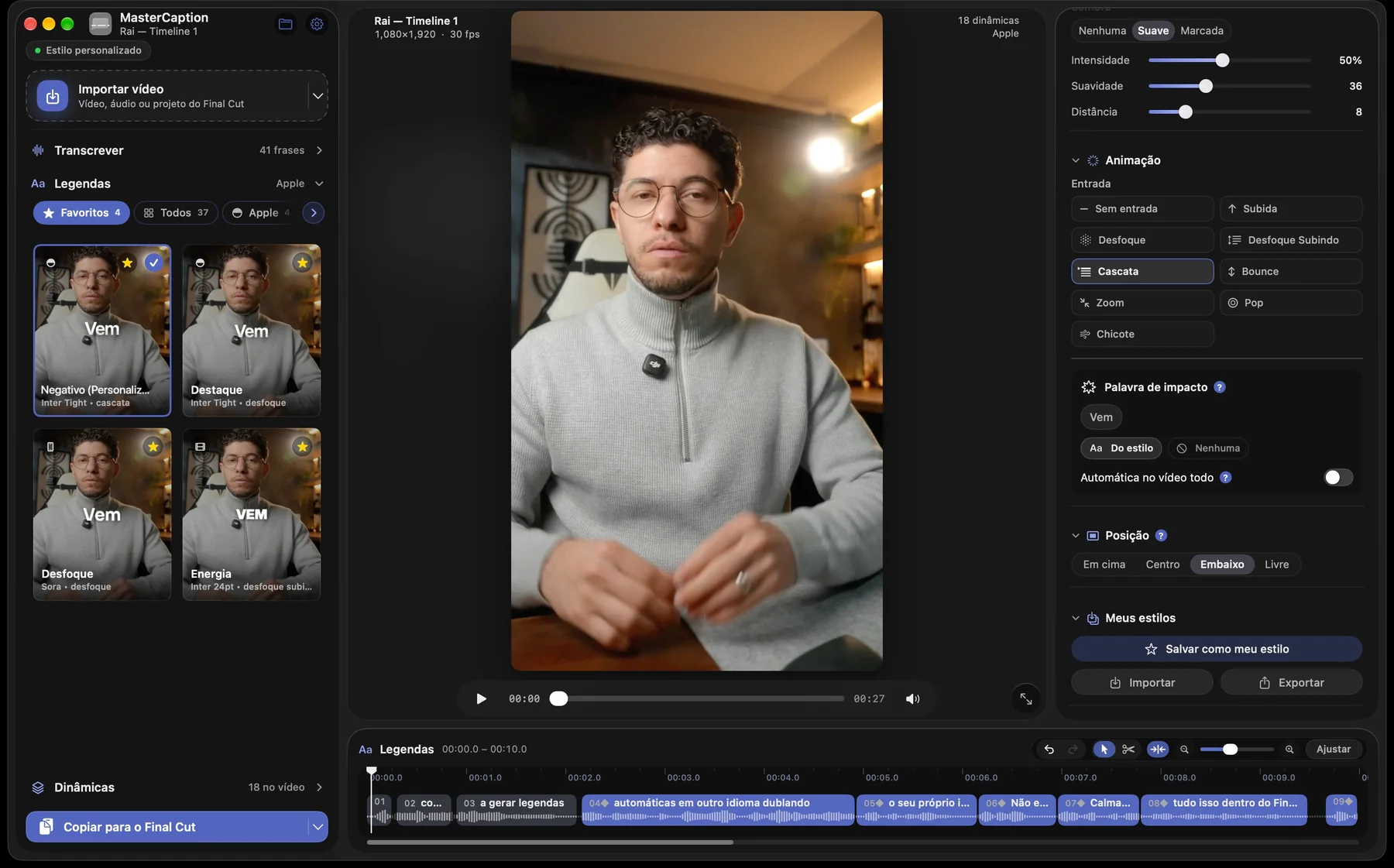
Choose a style to try in the video.

Choose it. Apply it. The animation is ready to go. Pick a style and apply it to your captions in one click.

Your style, saved for your next video.Titles you can keep editing in Final Cut.
BREAKS IN CONTEXT

A good captionrespects the sentence.

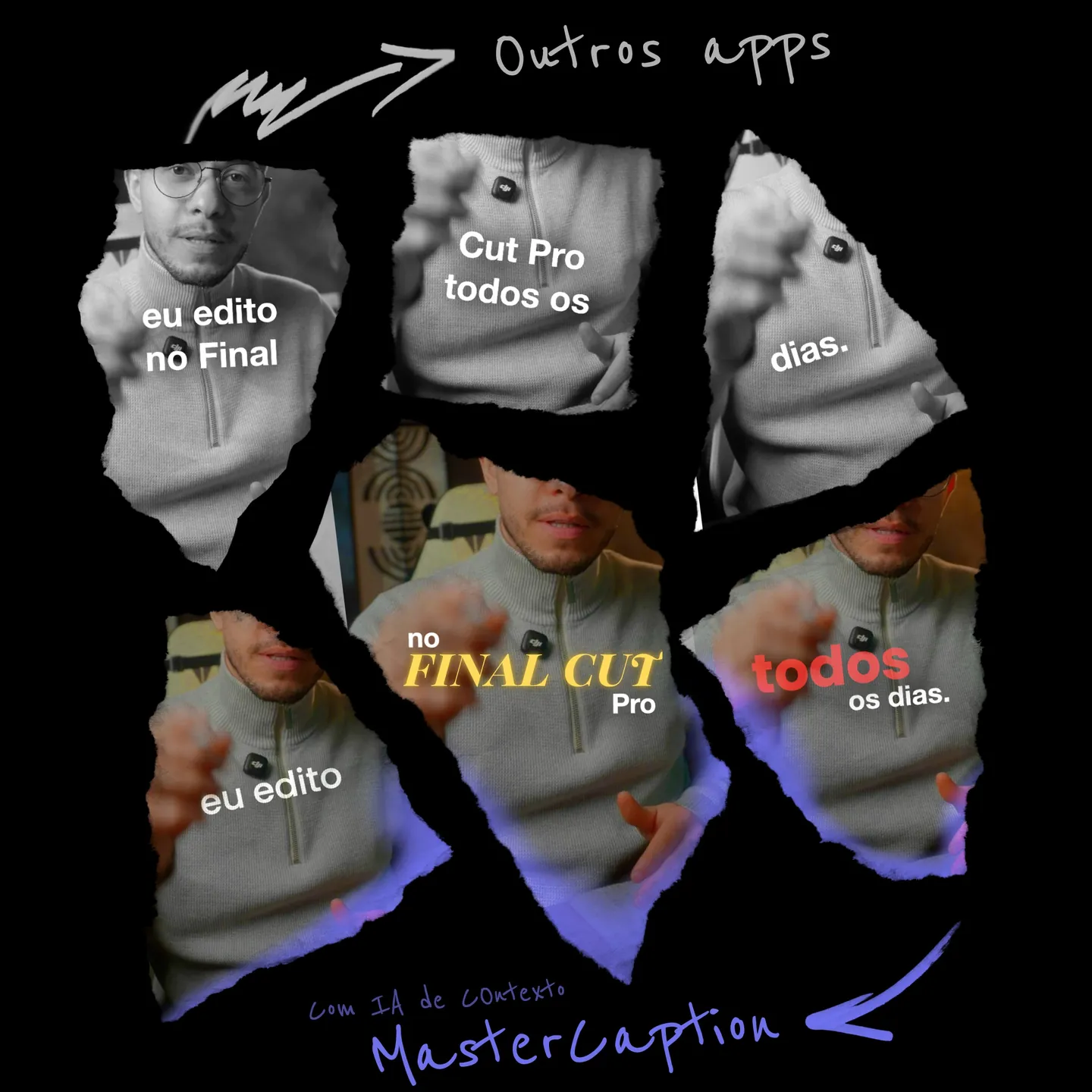
“Final Cut Pro” belongs together. MasterCaption considers context, pauses and punctuation to suggest where each caption begins and ends.

Review the text and adjust the breaks whenever you like.

Visual comparison: at the top, “Final Cut Pro” split across captions; below, the phrase grouped in context in MasterCaption.
Example of context-aware grouping.
Privacy in every project

Your video stayson your Mac.

Transcription and context analysis run on your computer. Your audio and video don't need to be sent to a cloud service.

From an unreleased interview to a client's project. Keep your footage with you.

Edit this way
MacBook with a sequence of videos and a purple padlock, representing the privacy of local processing.
Your files stay with you.

What about the internet? A connection is needed to download the app and models when you first get started, and to validate account access. Caption processing runs locally.

From words to motion

See MasterCaptionin action.

Choose a video. See captions move with the edit.

Explore MasterCaption

Open MP4 video
Choose your access

The complete MasterCaption.
More possibilities ahead.

One payment. All future MasterCaption updates included.

Lifetime license

One payment to use MasterCaption on your Mac.

Launch price · One-time paymentUS$ 49.90Launch price US$ 49.90 until December 31, 2026. From January 1, 2027, US$ 99.
  • Full Mac app
  • Use on up to 2 Macs
  • Captions and dynamic styles
  • Editable titles in Final Cut Pro
  • Local processing on your Mac
  • All future MasterCaption updates
Buy
Try free for 7 days

Create your account and download the app. No card and no automatic charge.

Currency and applicable taxes will be confirmed at checkout.

Full refund within 14 days of purchase. Read the refund policy

Seller: Rai Damasceno de Oliveira

Apt 20, Kincora Hall, Shannon, Co. Clare, V14 KC78, Ireland

support@mastercaption.com
EVERYTHING CLEAR BEFORE YOU START

Good questions.
Straight answers.

See what belongs in
your next creative workflow.

Yes. Create your account, verify your email and download MasterCaption from your dashboard. You get 7 days free from your first sign-in to the app, with no card and no automatic charge. When it ends, choose whether to buy a license to continue. The trial is available to new accounts that have never had access to MasterCaption.

Deliver more. In less time.

Don't leave Final Cut behind.
Add what was missing.

Turn hours of work into minutes with a faster, simpler and smarter editing workflow. Create more without compromising quality.

Try free for 7 daysMade for Mac. Built for editors.